

Record first-person — hands-free, discreet
2.7K ULTRA HD CAMERA GLASSES
A 2.7K camera built into a pair of glasses. Record video and photos first-person, hands-free and discreetly — ideal for work, professional documentation and sport.
Exploded view
Recommended products
Why thousands of dentists and doctors document their cases this way

5x better than using your phone

Technical specifications
- ColorBlack
- StorageTF memory card (8 GB - 512 GB)
- Viewing angle120°
- Video formatMP4
- Video resolution 2.7K 30fps · 2K 30fps · 1080P 60/30fps · 720P 60fps · 1080×1920 30fps (Vertical)
- Image formatJPG
- Battery3.7V 2200mAh
- Image resolution 8704×4896 · 8400×4800 · 7392×4160
- Charging portUSB-C
- Weight75g
- Compatibility Windows XP/7/Vista/8/10; Mac OS X 10.4+; Linux


FAQs
Have questions?
We have the answers.
Is it compatible with my loupes and headlight?
Yes, absolutely. Our camera includes a universal mounting system with 3 different adapters that fit 99% of the loupe frames and headbands on the market without obstructing your view.
How long does the battery last in continuous recording?
The battery is designed to last 4 to 5 hours of continuous use in high resolution. You can also use it connected to a power bank if you have a very long day of surgeries.
How do I transfer the videos to my computer or phone?
Very easy. You can do it via Wi-Fi using our free App to download them instantly to your phone, or connect the camera via USB-C to your computer (Mac or Windows) to transfer the files in seconds.
Is it hard to focus or frame the image?
Not at all. The camera has a depth of field optimized for the dental/medical working distance (30-50cm). Just put it on, look at your target and record. What you see is what gets recorded.
What warranty does the product have?
We offer a full 120-day warranty against any manufacturing defect. If you have any technical issue, our support team will help you or send you a replacement.
How long does shipping take?
Average delivery time is 4 to 10 business days depending on your location. After purchase you'll receive a tracking code to follow your order anytime.
Customer Reviews
-
Hands-free recording
I use it to record my procedures and the 2.7K quality is excellent. Completely hands-free, doesn't get in the way and the battery lasts all morning.
-
Perfect for my classes
I'm an esthetician and record tutorials. The image is sharp and shows exactly what I see. Super easy to transfer the videos to my phone.
-
Very good, battery could be bigger
Works really well for recording. Quality is good and it's discreet. I'd add a slightly bigger battery, but for the price it's very worth it.
-
Discreet and very useful
You can barely tell it's a camera. I use it in consultations and patients don't even notice. Image quality is very good even in low light.
-
Arrived fast and works great
Order arrived in a week. Easy setup, connects to the phone instantly. Records in smooth 2.7K. Recommended.
-
Ideal for teaching technique
I use it to record and review my technique with my students. The detail is perfect. The quality for the price is unbeatable.
-
Excellent value for money. Very happy.
-
The 2.7K image is very clear. Easy to use from day one.
-
Perfect for recording work and showing it to my clients.
-
Comfortable and light, you barely feel it. Battery lasts just right for my sessions.
-
Good product, arrived well packaged with the memory card included.
-
Exactly what I was looking for to document my work. Highly recommended.
How to use the 2.7K camera
Quick steps to record medical, dental and aesthetic procedures.
-
1Charge the camera Connect the USB-C cable to a 5V (1A–2A) charger until charging is complete.
-
2Insert the TF card Use a TF card (8 GB to 512 GB). Not included.
-
3Mount the camera Attach it to the headband or the helmet base, as you prefer.
-
4Turn on Press and hold the power button until the camera turns on.
-
5Select mode and resolution Choose Video or Photo. For social media, use vertical mode.
-
6Start / stop recording Press Record to start and press again to stop.
-
7Transfer the files Connect via USB-C to your PC/Mac or remove the TF card to copy videos and photos.
-
8Ready for the next procedure Clean the exterior, check the battery and free space before each use.
You may also like
-
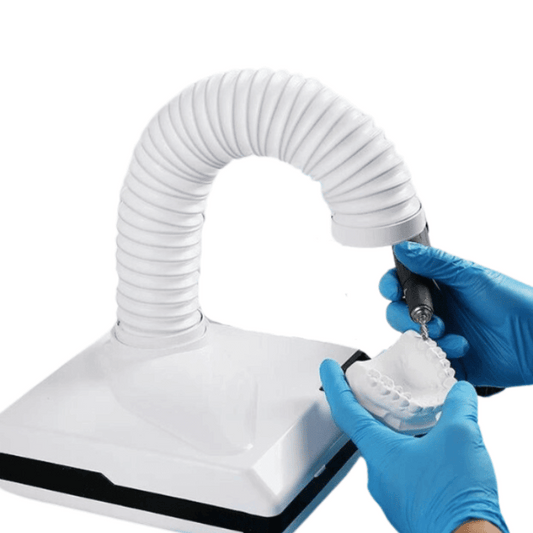
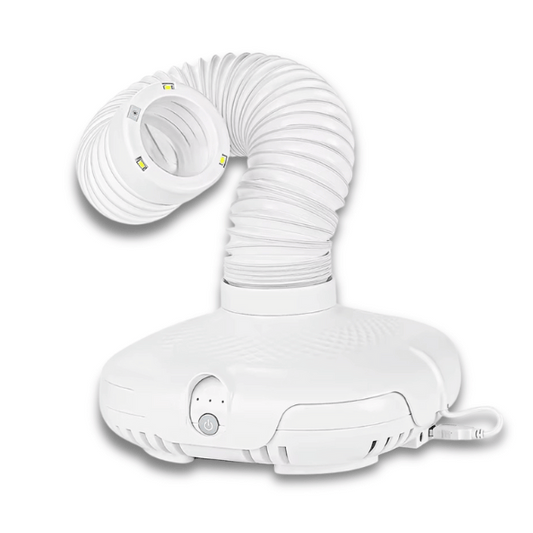
High-Power Dental Vacuum with LED Light
Regular price 429,99 złRegular price 429,99 zł Sale priceUnit price per571,29 zł24% -
Turbo PRO Dental Vacuum Cleaner with 120W Power
Regular price 599,99 złRegular price 599,99 zł Sale priceUnit price per714,17 zł15% -
4K Portable Video Camera with Remote Control for First-Person Recording of Aesthetic and Medical Procedures
Regular price From 899,99 złRegular price From 899,99 zł Sale priceUnit price per999,99 zł10% -
Low-Speed Dental Contra Angle with Water Spray
Regular price From 284,99 złRegular price From 284,99 zł Sale priceUnit price per379,99 zł25%